
Before you start
Bills Hub connects to Xero with one Xero sign-in. Every organisation that login can access is connected at once; you don't add companies one at a time. Bills Hub only asks for the Xero permissions it uses: bills, payments, contacts and a read-only view of your bank accounts.
FusionETA does the first connection with you and gives each company a short code, such as CMSB for a management company, which appears beside every bill.
The bills list
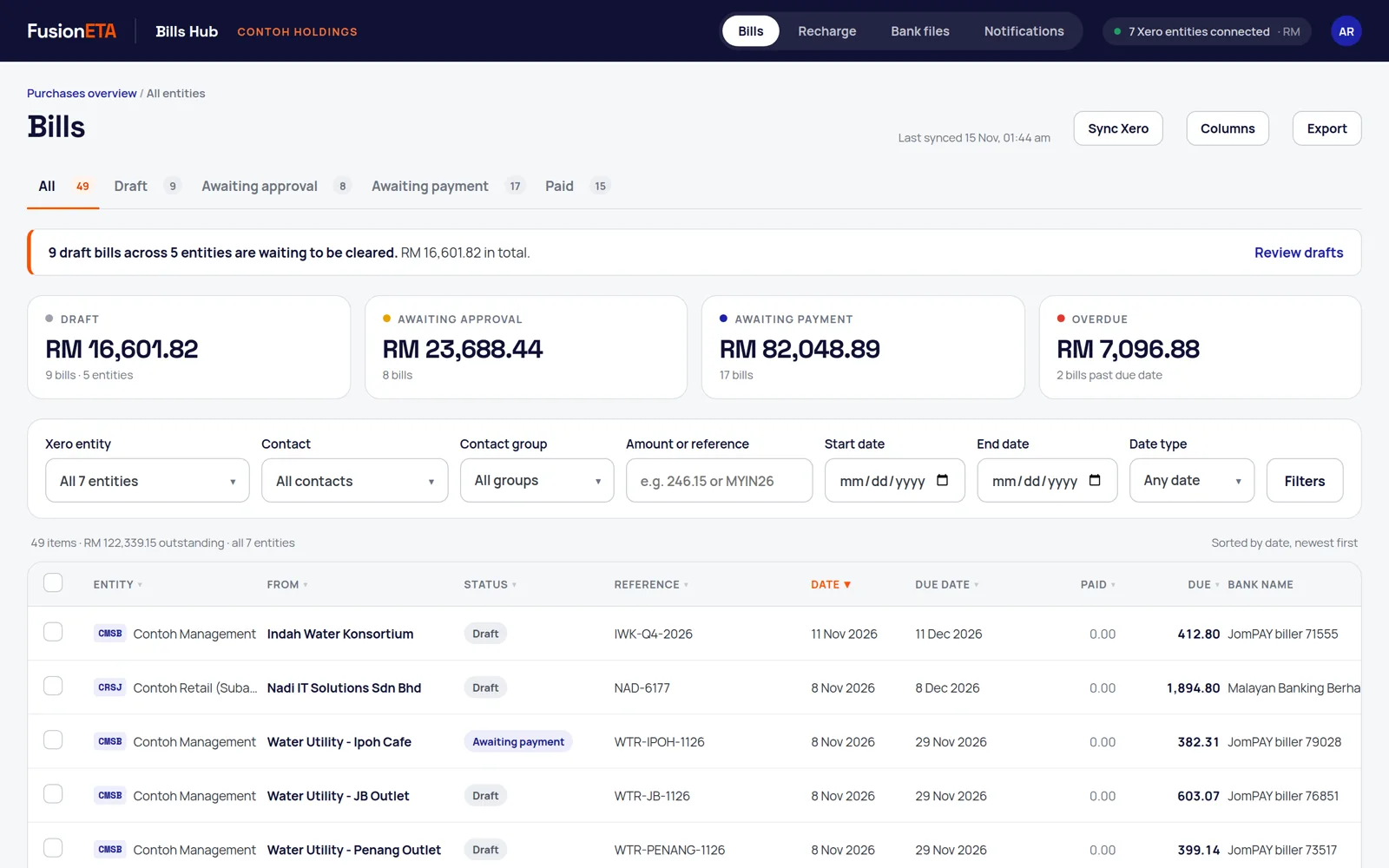
Bills Hub reads supplier bills from each connected company and refreshes them every 15 minutes. Press Sync Xero to refresh straight away. The tabs follow Xero's own stages:
| Tab | In Xero |
|---|---|
| Draft | Draft |
| Awaiting approval | Awaiting approval (submitted) |
| Awaiting payment | Awaiting payment (approved) |
| Paid | Paid |
Filters
- Xero entity: one company, several, or all of them.
- Contact: one or more suppliers.
- Contact group: Xero's own contact groups, such as Landlords. A group is matched by name across companies, so spell it the same way in each Xero organisation.
- Amount or reference, and a date range on bill date, due date or paid date.
Columns and export
Use Columns to show or hide columns and drag them into your own order, including each supplier's bank or JomPay biller. Bills Hub remembers your layout in your browser, and Export follows exactly what's on screen.
Currencies: each company keeps its own base currency. If the companies you're viewing use different currencies, Bills Hub doesn't add them up. Filter to one company for a total you can rely on.
Submit and approve in bulk
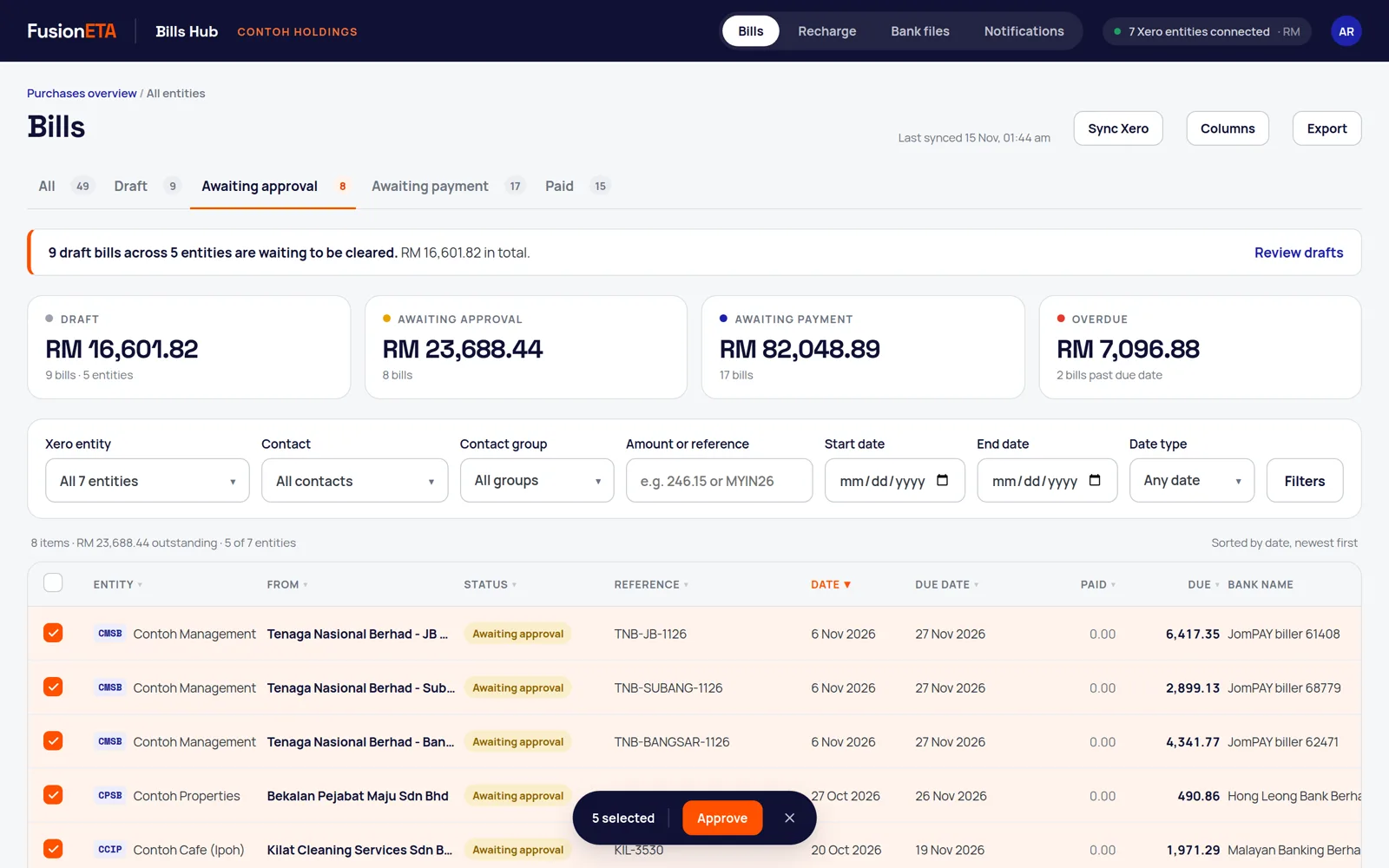
- Open the Draft or Awaiting approval tab.
- Tick the bills. They can come from different companies, but they need to be at the same stage.
- Press Submit for approval or Approve in the bar at the bottom of the screen.
Each bill is checked against its status in Xero before it moves, and each is handled on its own, so one rejected bill never stops the rest. Bills you approve here are approved in Xero.
Switching a company off
Click the Xero entities connected badge at the top right to see every connected organisation, its currency and its short code. Switching one off stops it syncing and hides its bills everywhere in Bills Hub.
Frequently asked questions
Do I need to connect each Xero organisation separately?
No. One Xero sign-in connects every organisation that login can access.
How often does Bills Hub sync with Xero?
Every 15 minutes, and whenever you press Sync Xero.
Can I approve bills from different companies together?
Yes, as long as they are at the same stage. Each bill is checked and moved on its own, so one rejection does not stop the others.
More Bills Hub guides
Need a hand setting this up?
FusionETA sets up Bills Hub for you and trains your team.
 .