
Xero provides consistent updates to e-invoice functionality. Do refer to their updated guide for latest instruction and updates.https://central.xero.com/s/article/Register-and-send-an-e-Invoice
* 2026 Offer - Add Fusioneta as advisor into your Xero account and enjoy free support on Xero and e-invoicing.
Before you start
Before you start, you need: an active Xero subscription with a Malaysia organisation; MyTax access with the Director / Organization Administrator role (or a Company Representative who has it); and your company's TIN and BRN on hand.
Key terms: MyTax = LHDN's tax portal login. MyInvois = LHDN's e-Invoice portal. Intermediary = a third party (here, Xero) authorised to submit e-Invoices on your behalf. Invoici = Xero's Malaysia e-Invoice connection service at my.invoici.net. TIN = Tax Identification Number. BRN = Business Registration Number.
Key terms: MyTax = LHDN's tax portal login. MyInvois = LHDN's e-Invoice portal. Intermediary = a third party (here, Xero) authorised to submit e-Invoices on your behalf. Invoici = Xero's Malaysia e-Invoice connection service at my.invoici.net. TIN = Tax Identification Number. BRN = Business Registration Number.
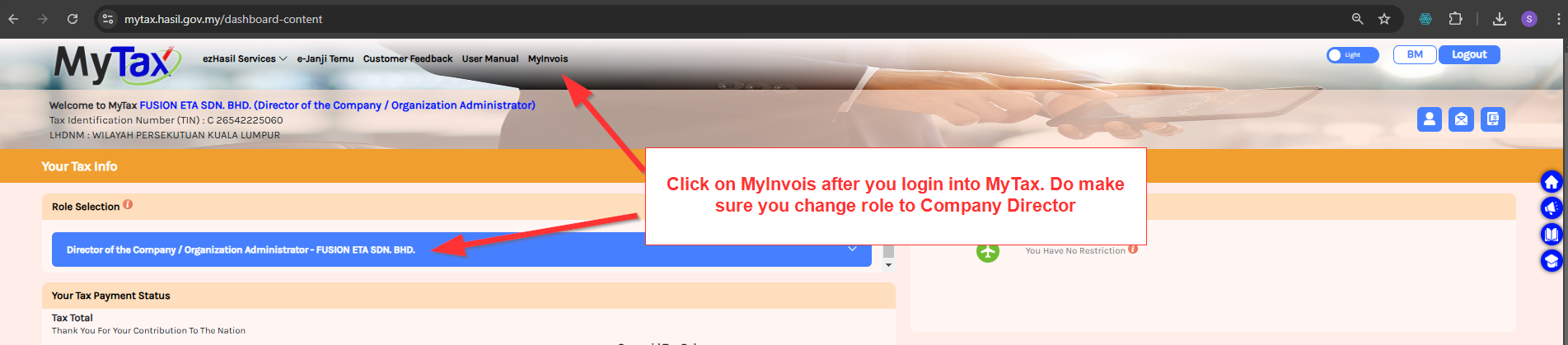
1. To setup Xero E-invoicing, login to MyTax and toggle to Directors of Company / Organization Administrator under the role selection. If you cannot see this role, request to be added as Company Representative. Then on the top menu, click on the Myinvois menu to navigate to MyInvois Portal.
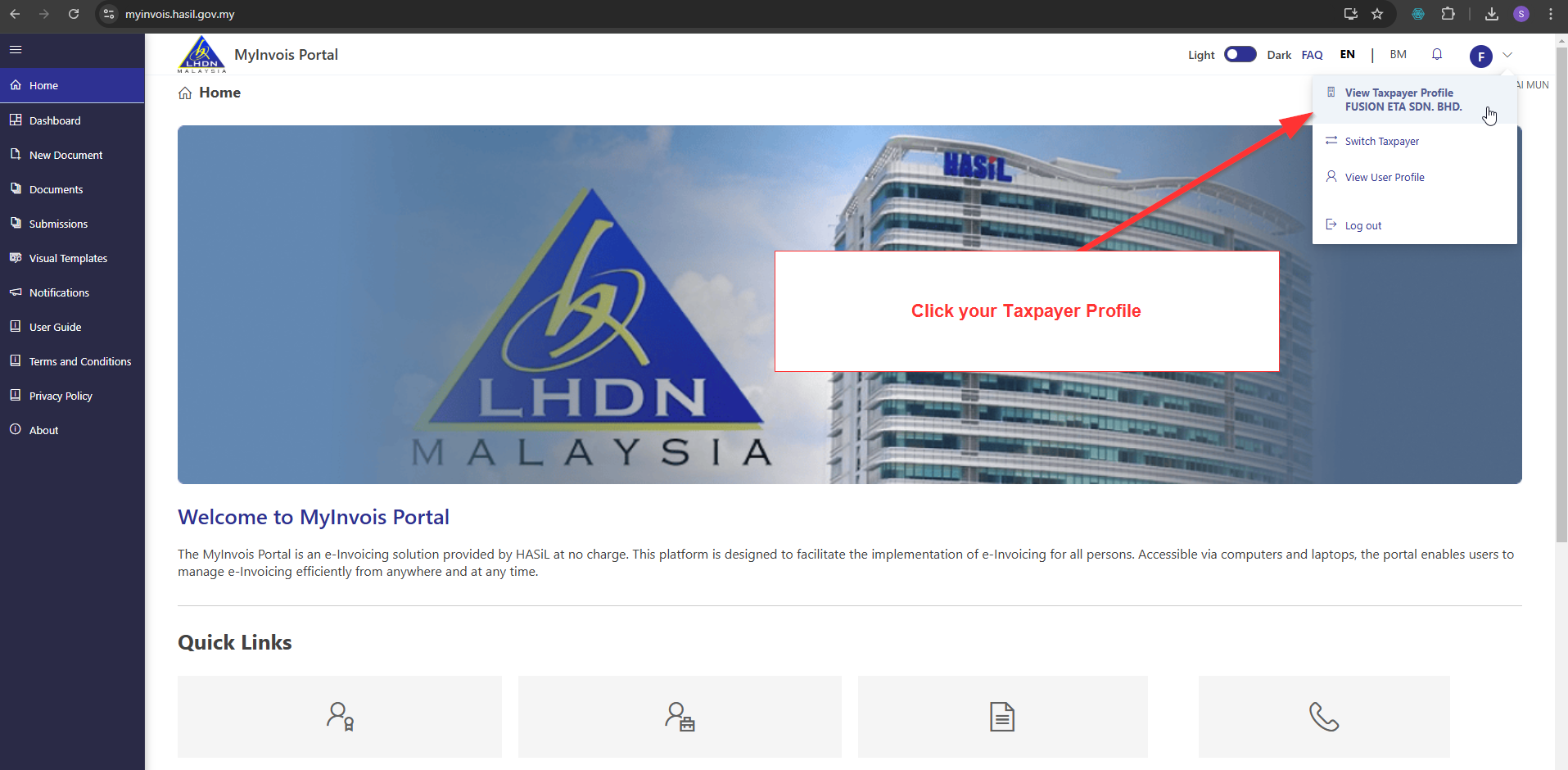
2. At MyInvois Portal, click on the top right profile icon and then click View Taxpayer Profile [Company Name]
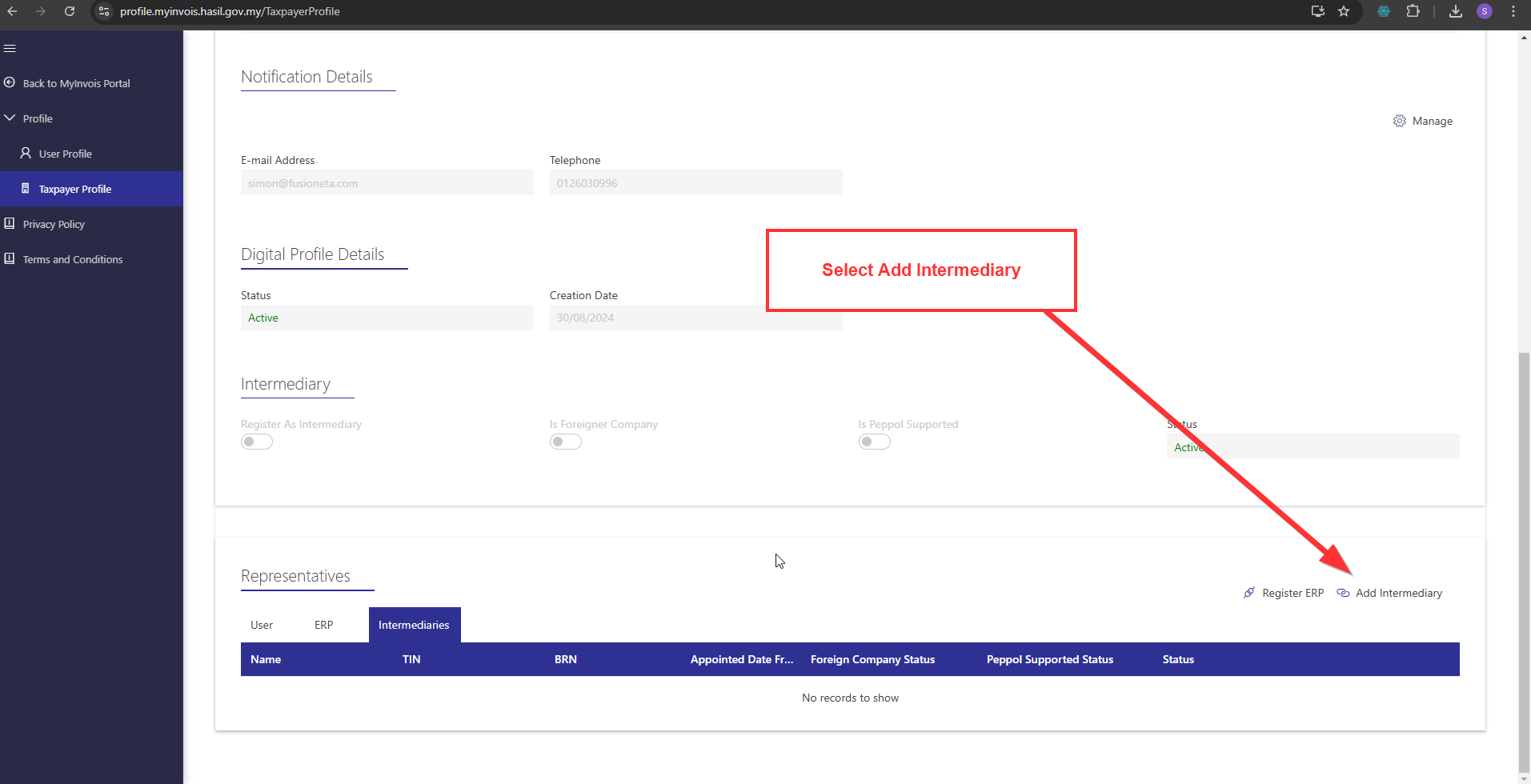
3. Scroll to the bottom of the page under the Representatives section and click on the Intermediaries tab. Then click on Add Intermediary.
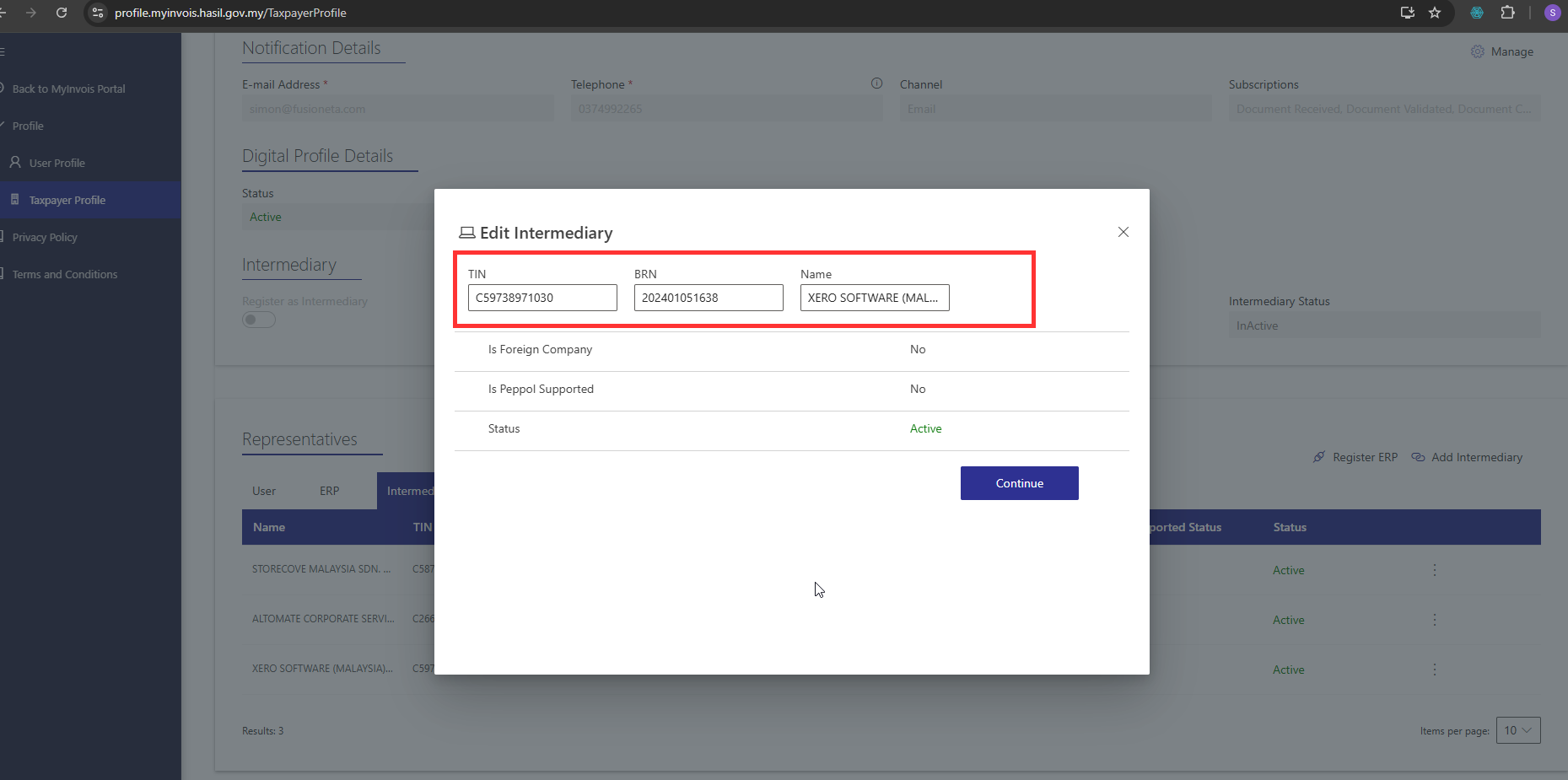
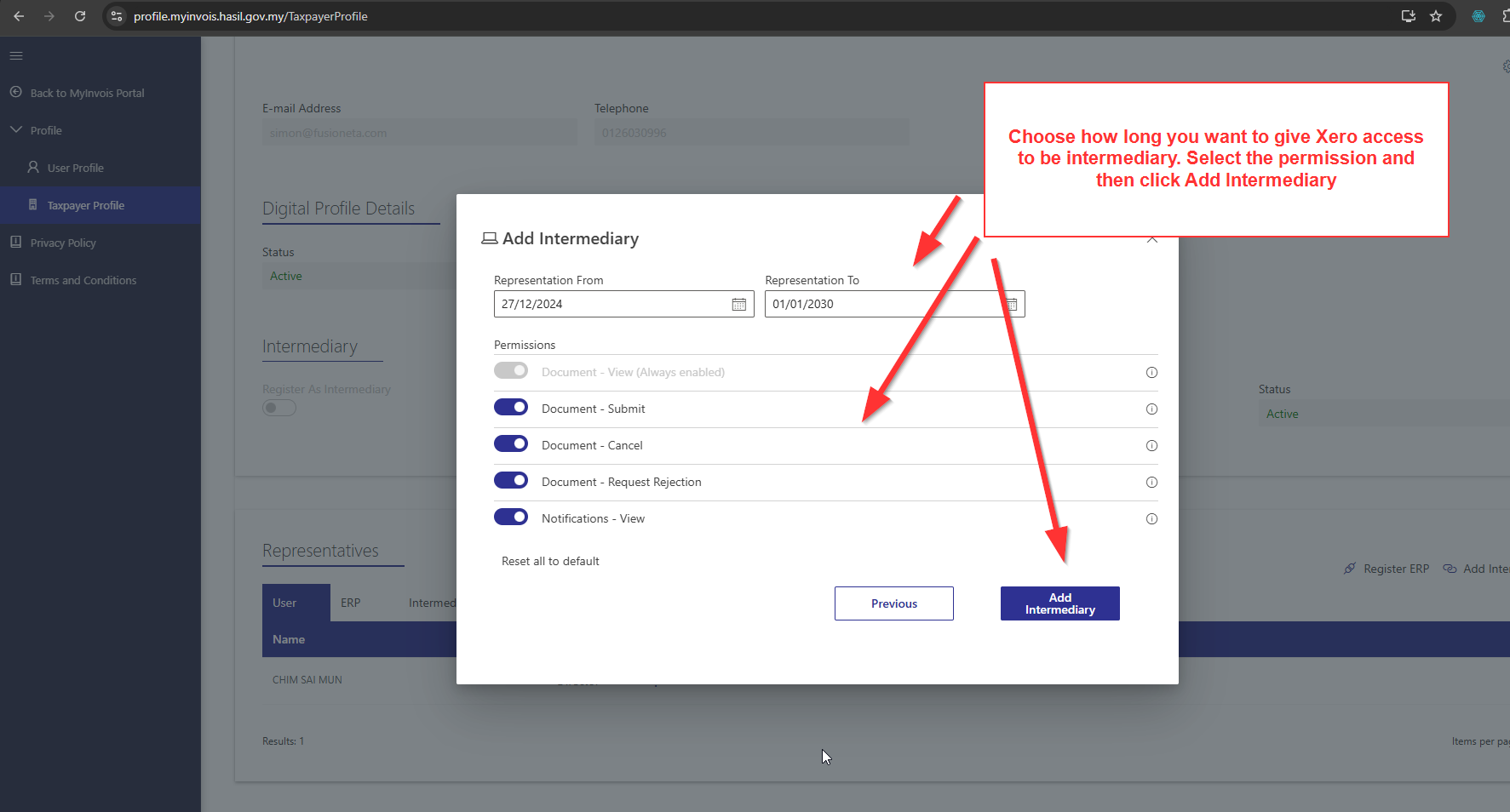
4. Fill up intermediary info as provided below. If you get an error cannot find TIN, just try again few minutes later and it will usually work again.
Xero Intermediary setup info:
Name: XERO SOFTWARE (MALAYSIA) SDN. BHD.TIN: C59738971030
BRN: 202401051638
5. Do grant all access and put the duration this access is valid.
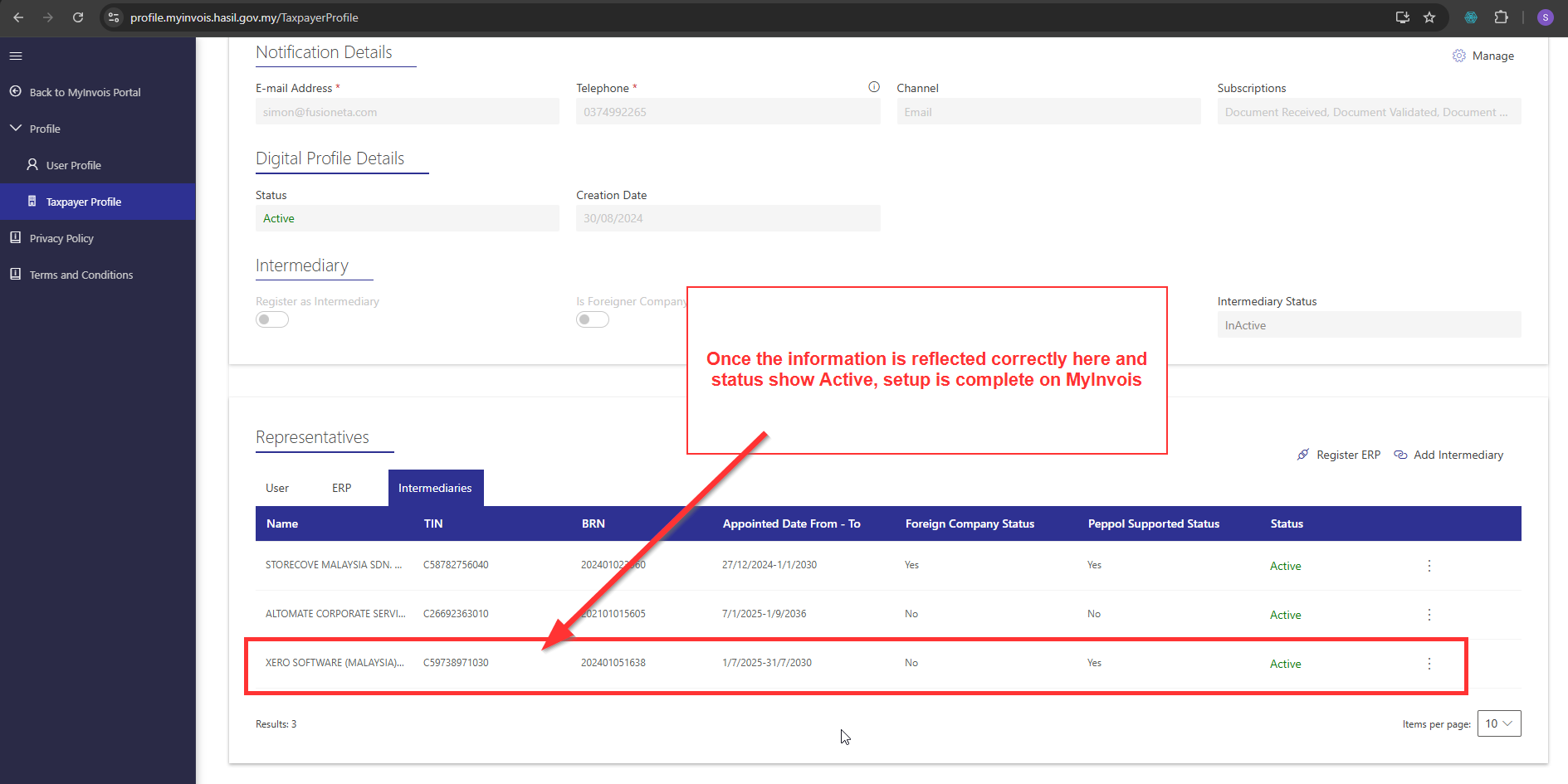
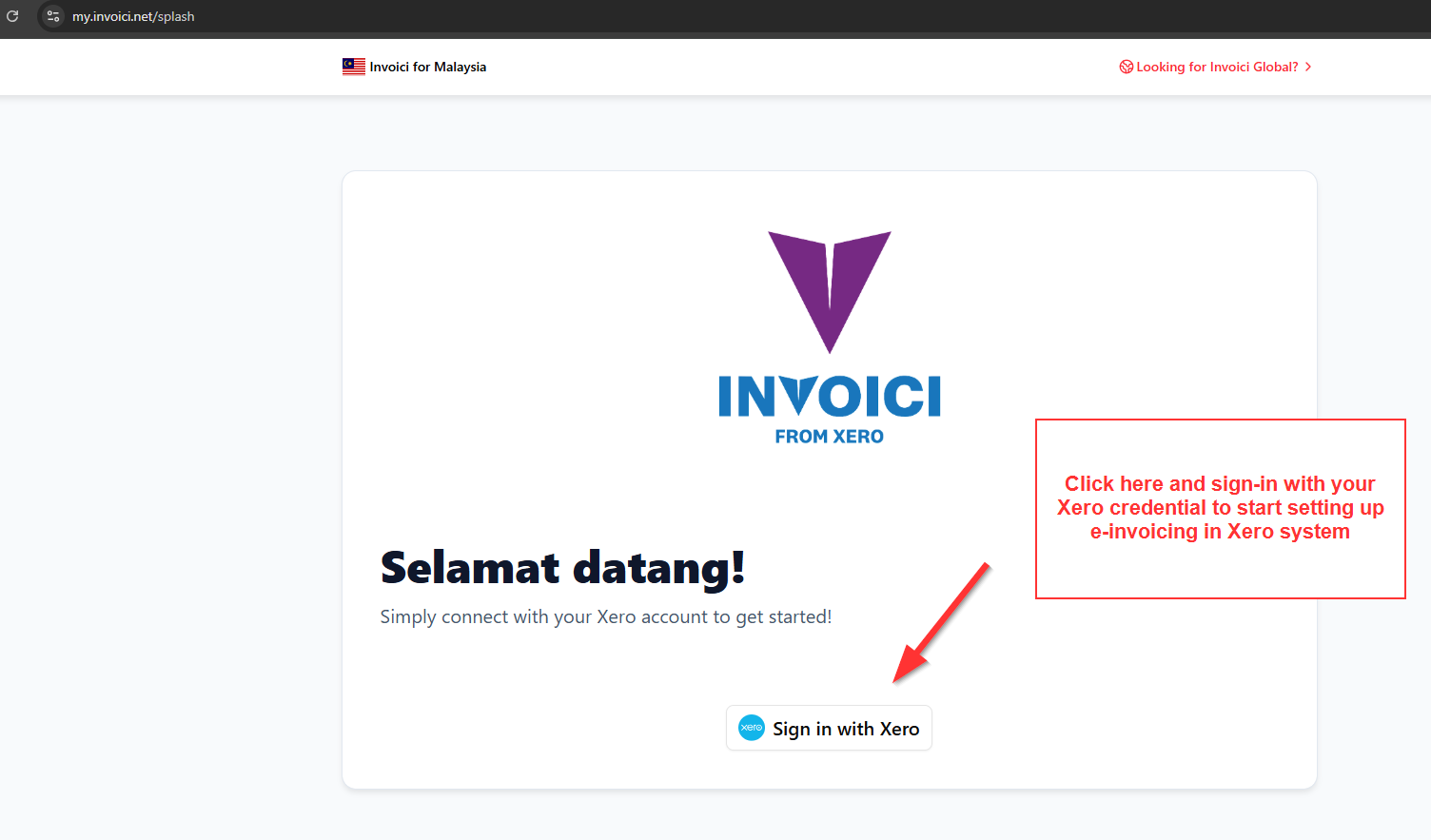
6. Once you have completed granting Xero as Intermediary under MyTax, now go to Xero Invoici website to complete the next setup step.https://my.invoici.net/
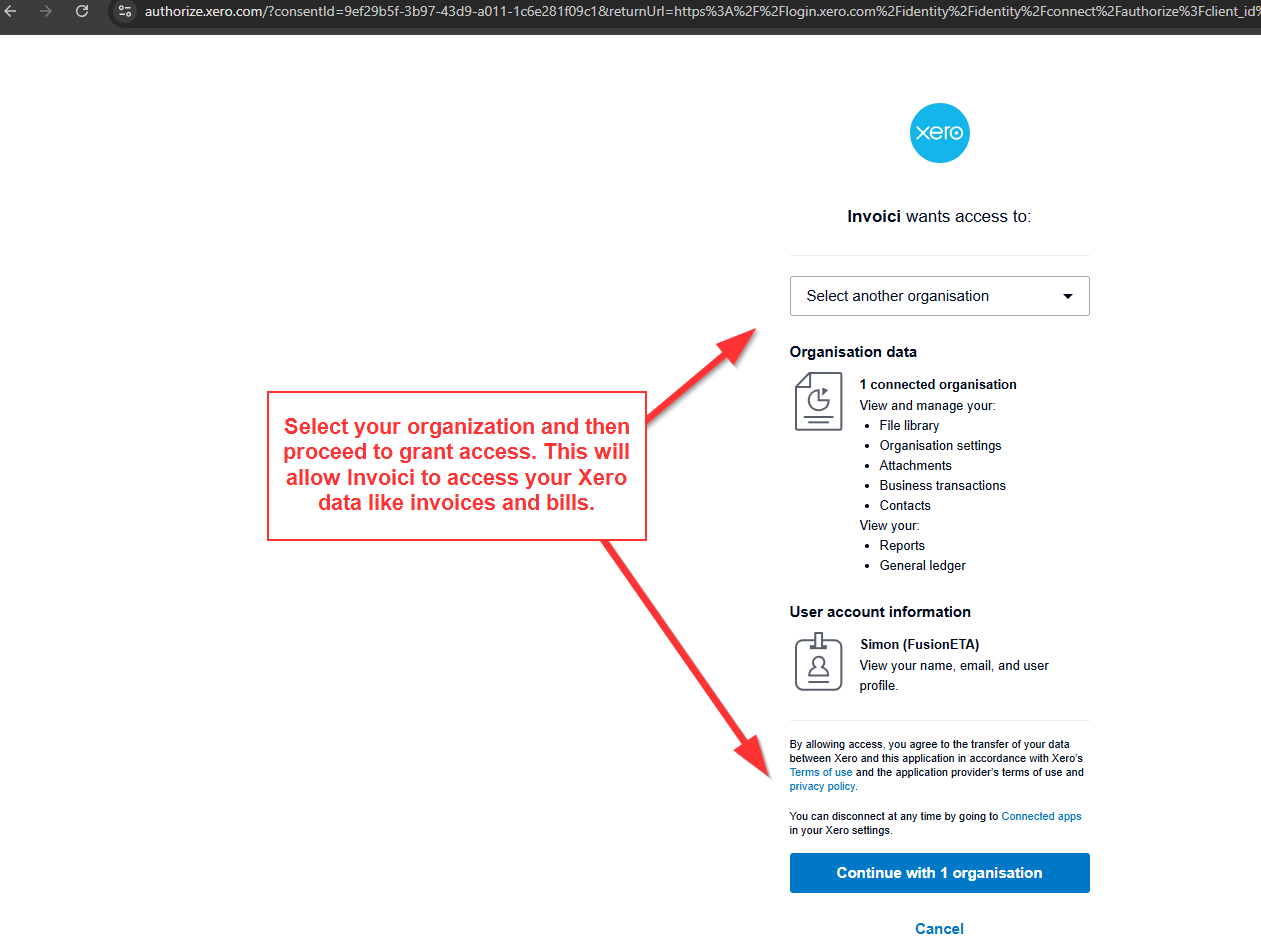


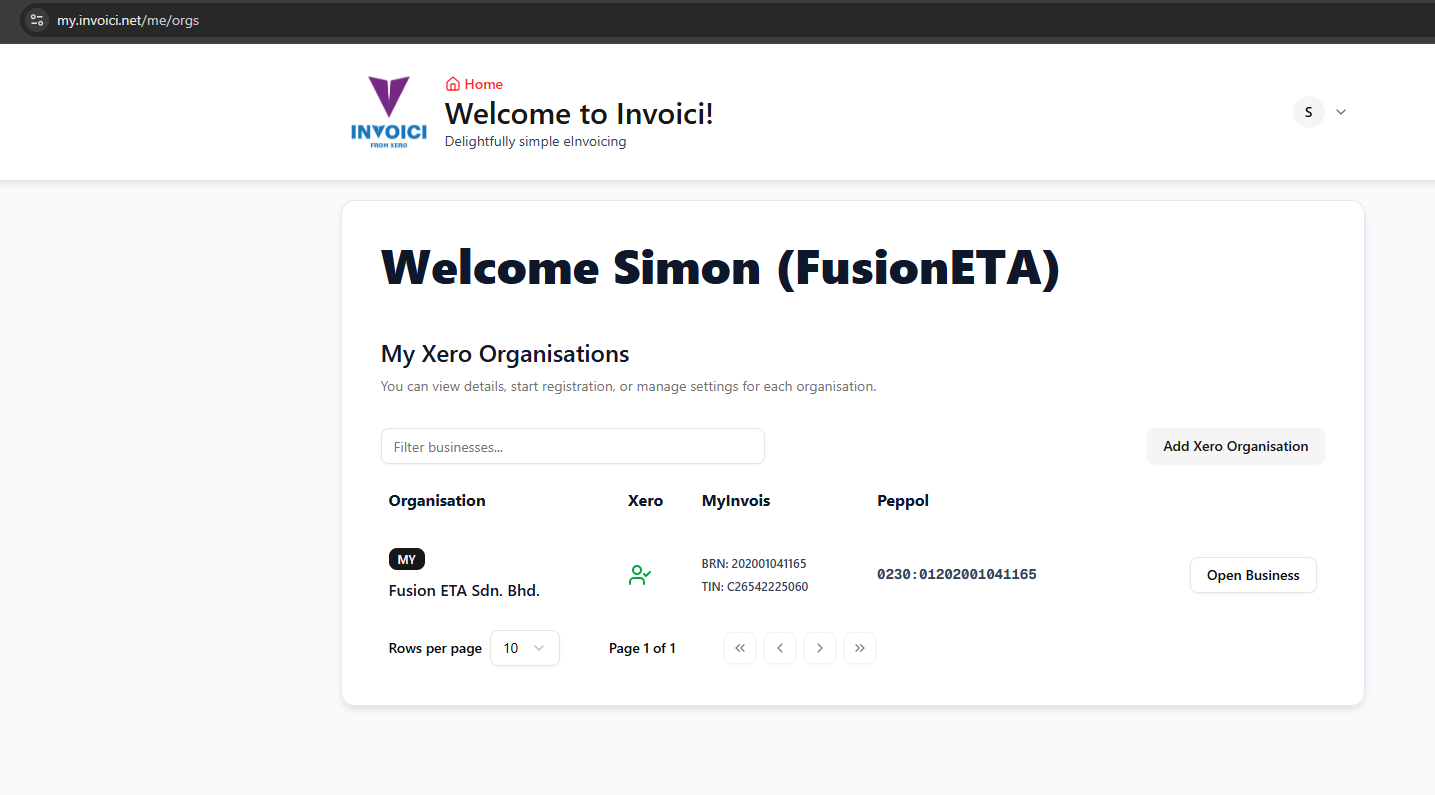
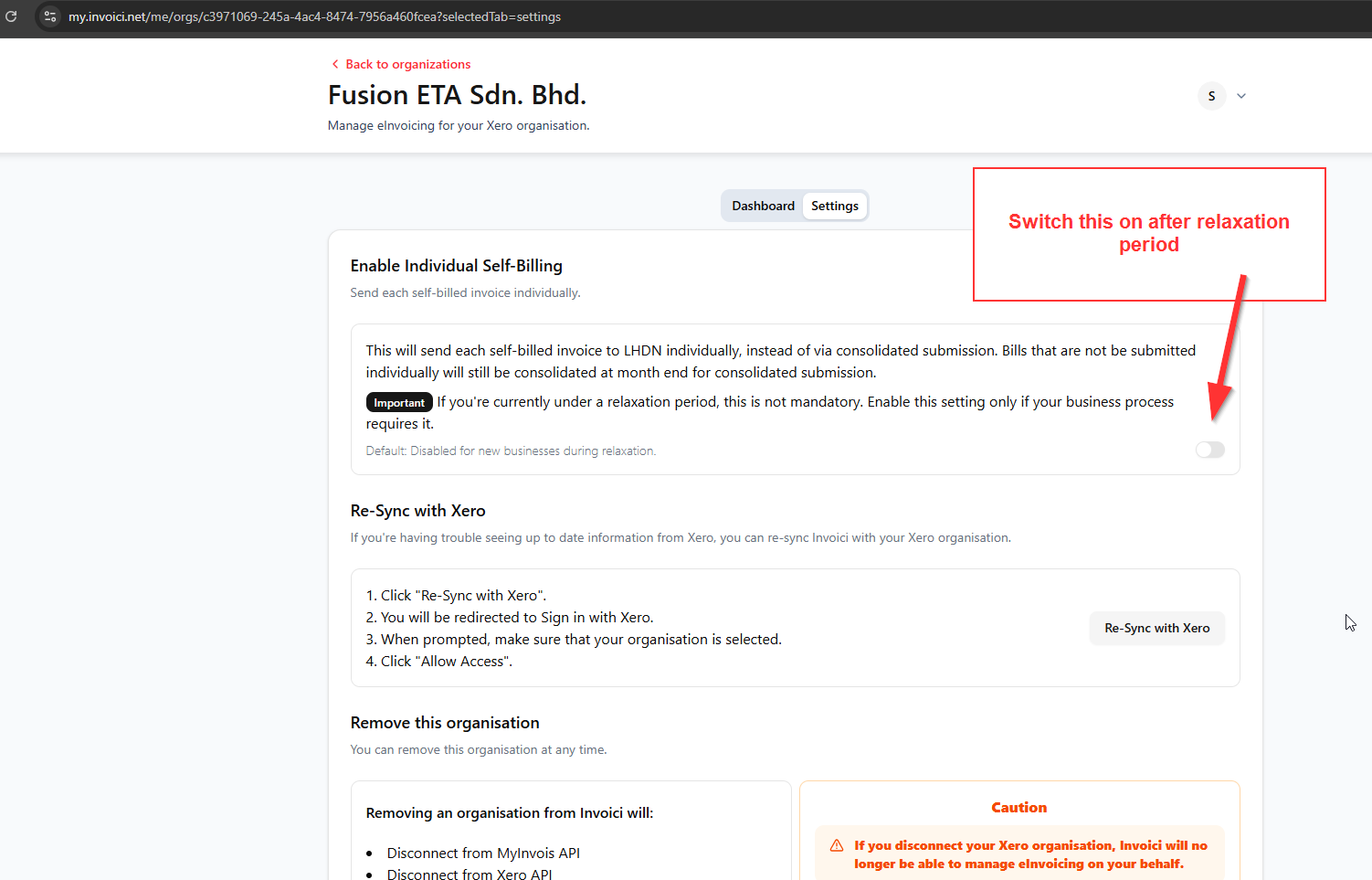
7. All done. Now try sending your first e-invoice.
- Here is the step by step instruction how to send your first e-invoice. Click here.
- Here is the step to send individual e-invoice to individual buyer with NRIC only. Click here.
 .
.